
Insights Course Builder
Your teaching teammate is ready when you are.
Tell it what you want to teach. It turns your ideas and your own materials into a complete course, then helps you teach it and shows you how every student is thinking.
Theory first, AI second. Your standards set the learning objectives, proven teaching theory shapes the lesson, and AI agents write it all with that theory in mind.
Teachers start free. No credit card required.

Your Insights teammate
Guided Course Agent
Teacher: I’m teaching extreme weather to my 5th graders. Here are my unit notes. Can you build it with me?
Insights: On it. Forces of Nature: Extreme Weather, Data, and Safety, aligned to your state standards: three chapters with Class Slides, a video lesson and a Benchmark to finish. Review the plan first?
Teacher: Love it. Make the readings a little easier?
Insights: Done, reading level lowered. Hit Approve & Build.
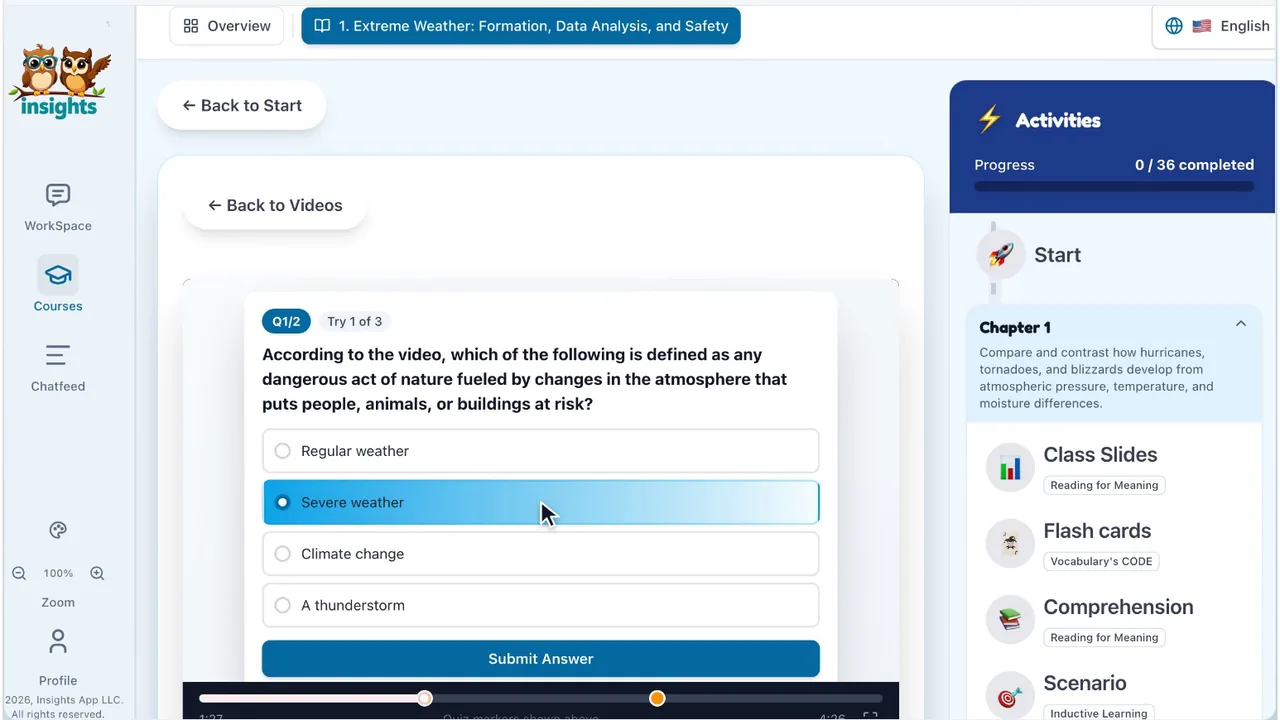
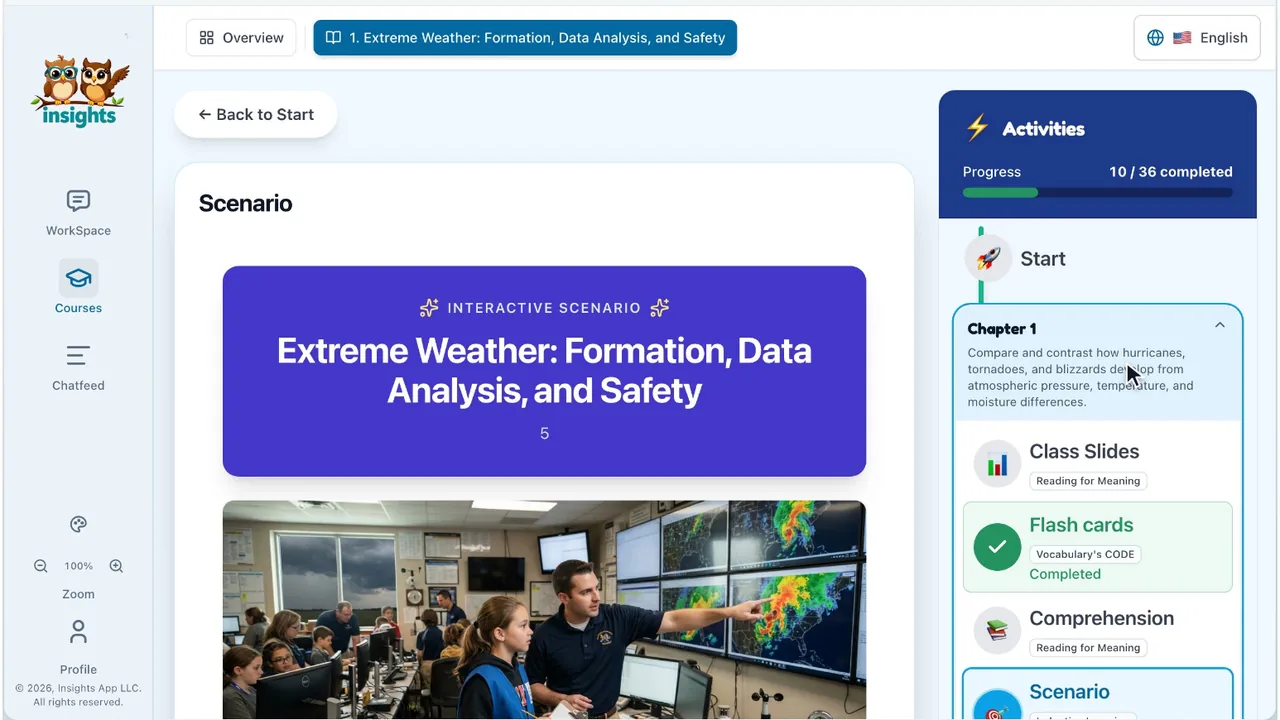
See your teammate at work
See how the Course Builder Agent helps teachers build standards-aligned courses and teach them live.
Teachers: start free
Available in the Clever App Gallery
Single sign-on and automatic roster sync: students and teachers log in with the accounts they already have.
Built on learning theory
Theory first. AI second.
Most AI tools generate content. Insights generates it with teaching theory built in. Your standards set the learning objectives, proven teaching theory shapes the lesson, and the AI writes every slide, activity and quiz with that theory in mind.
- 1
Your standards
Pick Common Core or your state’s standards, and every learning objective is tied to a standard code.
- 2
Learning objectives
Each objective drives its own Class Slides deck, the activities, the checkpoints and the Benchmark quiz.
- 3
Teaching theory
Choose Bloom’s Ladder, Gagné’s Nine Events or Core 6, and the course is built in that model’s order, with the activity each step calls for.
- 4
The lesson
Class Slides teach, model a worked example, practice together, check for understanding and close with an exit ticket.
- 5
Thinking, measured
Student answers and questions are scored on Bloom’s taxonomy, and the tutor coaches instead of handing over answers.
Built on Bloom’s taxonomy, Gagné’s Nine Events of Instruction, Wiggins and McTighe’s Understanding by Design and Core 6, and created by graduate students and researchers who met at the University of Pennsylvania.
Backed by research
The research is clear. So is our approach.
Every part of Insights answers something the research on teaching and learning has already shown.
53 hrs
a week is how long the average U.S. teacher worked in RAND’s 2024 survey, versus 44 for similar professionals, and 15 of those hours fell outside their contract.
Source: RAND, State of the American Teacher, 2024What Insights does
Course Builder turns a unit into a complete, standards-aligned course, with slides, activities and quizzes, so planning stops eating your evenings and weekends.
−17%
on the exam for high school students who practiced with AI that simply gave answers. With a tutor-style AI that had guardrails like the ones Insights uses, practice scores rose 127% and that harm was largely avoided.
Source: Bastani et al., PNAS, 2025What Insights does
The Insights student tutor is built with those guardrails: it never hands over the answer, it coaches one step at a time, and it checks its own replies.
2×
as many teens used ChatGPT for schoolwork in 2024 as in 2023: 26%, up from 13%. AI is already in your students’ homework.
Source: Pew Research Center, 2025What Insights does
With a consumer chatbot, you never see what students asked. ChatFeed shows you every question your students ask the AI, scored on Bloom’s taxonomy.
Safe because it’s transparent
Transparent AI. You stay in charge.
Most AI is a black box. In Insights, teachers and administrators can see what the AI builds, what students ask it and how it answers, and they make every decision that matters.
Nothing is built until you approve it
The Course Builder agent shows you its plan first. You change what you want, approve it, and edit anything it makes afterward.
Every conversation is visible
ChatFeed shows teachers and staff every question students ask the AI and how it responded, so nothing happens out of sight.
You make the final call
Insights suggests grades and scores thinking; the teacher sets every final grade.
Administrators see across the school
An admin dashboard and district-wide ChatFeed analytics show how AI is being used, and how students are thinking, in every classroom.
Explore Insights
Everything your teammate can do
Insights Course Builder
You lead. Your teammate builds the course.
From one idea or your own materials to a standards-aligned course, where your standards drive every objective, slide and activity: lessons, 30 activity types, Class Slides and quizzes.
Explore Course BuilderFor schools & districts
A living curriculum, not a binder on a shelf.
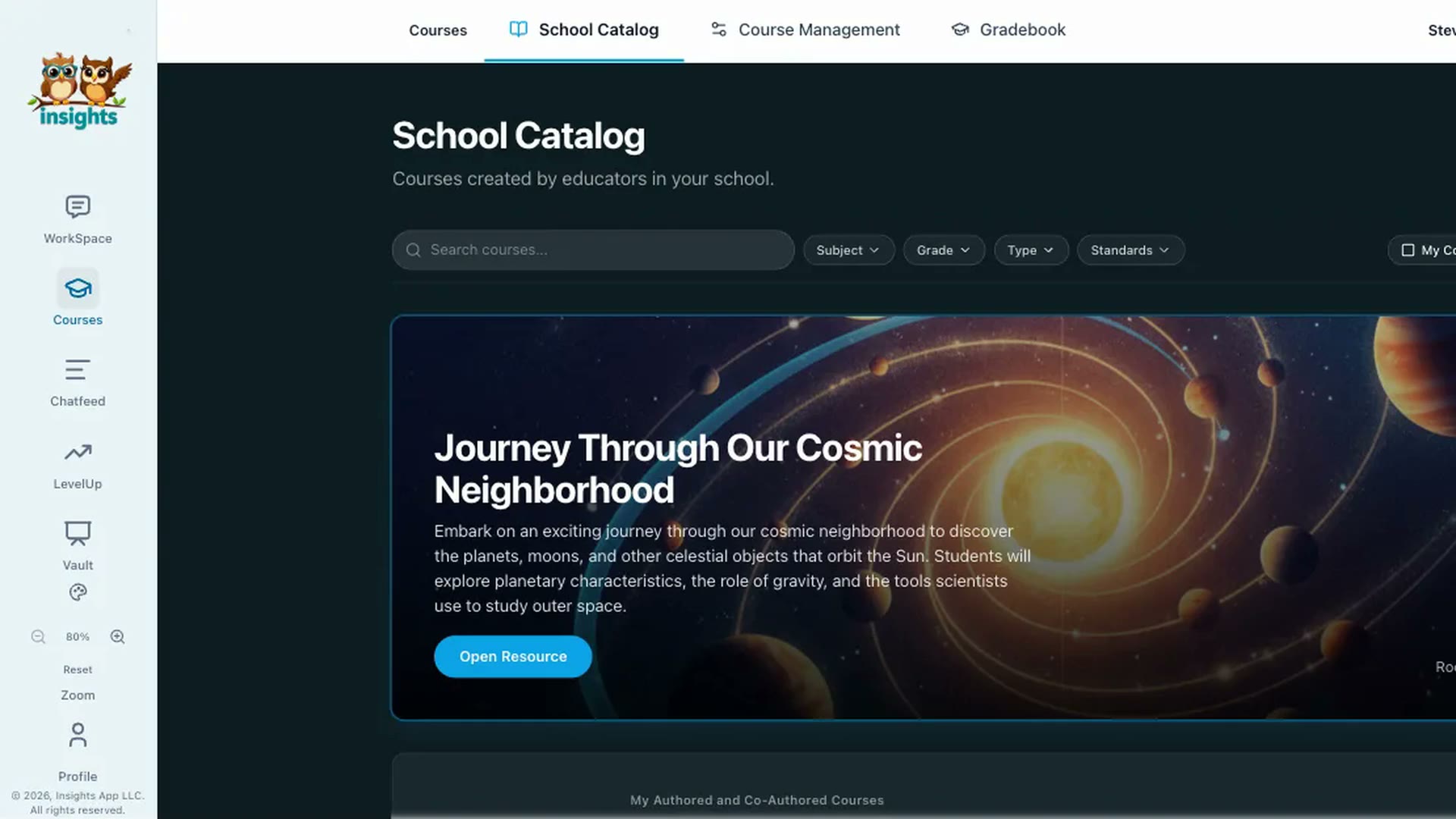
One teacher builds a course; every teacher in the School Catalog can use it.
Plans, safety & demosPlatform Overview
Built for everyone in the building
For teachers
Build the course you’ve always wanted to teach.
- AI agents build it from your idea and your materials
- Class Slides, quizzes and grading included
- Teach it in class or let students work at home
- See how every student is thinking
For students
Courses that make them think.
- Stories, games, simulations and video lessons
- Help that explains instead of answering for them
- Join live classes with a code
- Course content in 15 languages
For schools & districts
A living curriculum, not a binder on a shelf.
- Your staff build courses and keep improving them all year
- School Catalog to share and copy courses across schools
- Clever single sign-on and roster sync
- District-wide ChatFeed analytics
Why Insights
What teachers, students and admins are saying
Teachers
Insights gives me a window into how my students think, not just what they know.
Instead of guessing where students are struggling, I can use Insights to guide my instruction.
The Bloom’s Taxonomy breakdown makes it easy to see where my students are cognitively.
Students
Insights helps me see how my thinking is improving, not just whether I got the right answer.
I never really thought about how I ask questions until I started using Insights.
Insights makes me want to ask better questions and think more deeply.
Administrators
Now everyone gets a co-teacher.
Your teaching teammate is ready when you are.
Start free, or bring Insights to your whole school.